Basic
₹499 a month + GST
Start free trialFor any business your customers message
One inbox for your whole team, on your own business number. Share the chats, reply in seconds with saved answers, and never lose a customer because one phone was switched off. Built on WhatsApp's official Business Platform for clinics, shops, schools, agencies and any business your customers message.
14-day free trial · no payment details needed · prices exclude GST
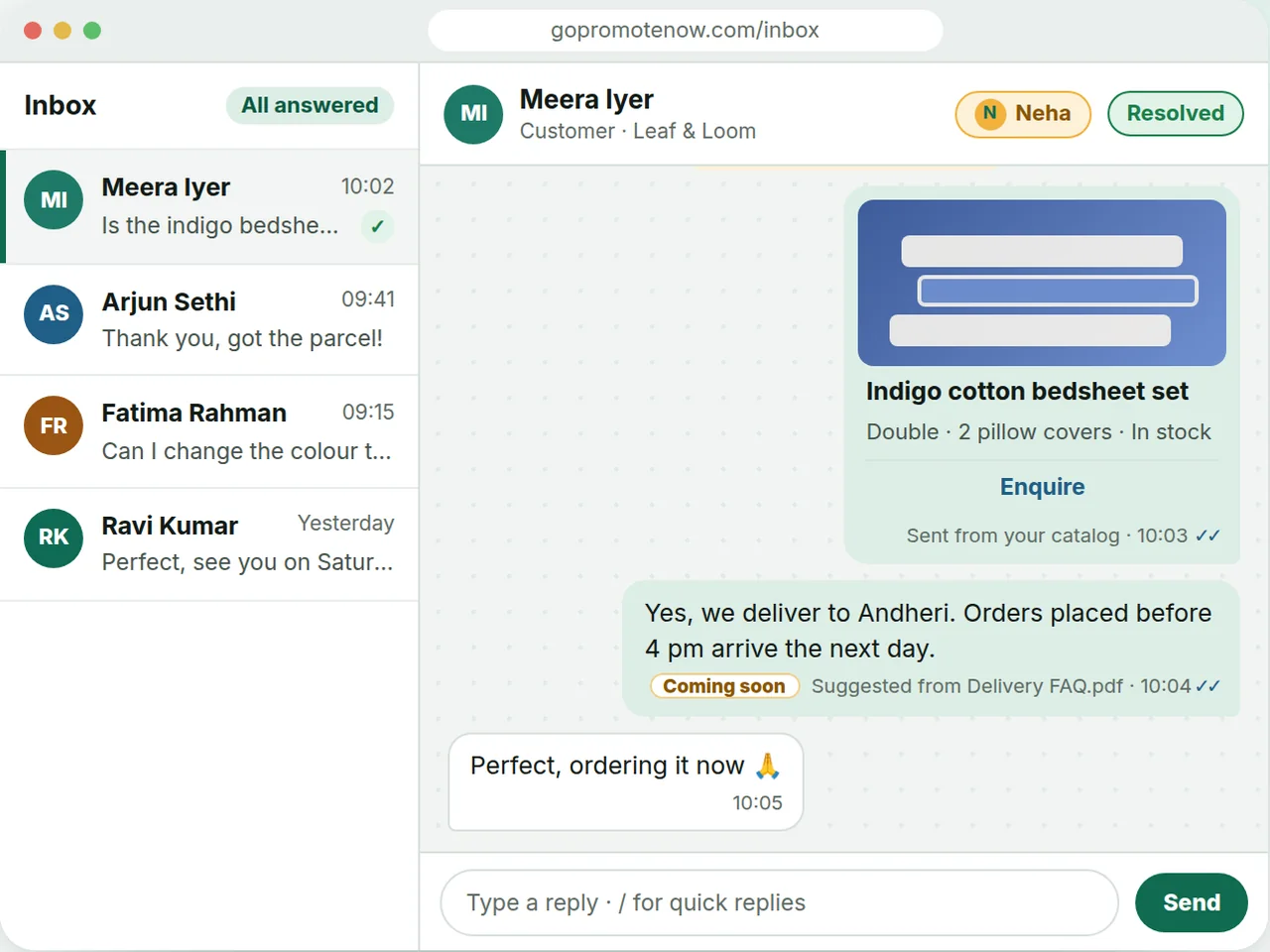
When every chat lives on one phone, customers wait whenever that person is busy, off shift or on leave. Staff start using their own numbers, nobody can see who replied, and a missed message quietly becomes a lost sale. A shared inbox fixes the cause, not the symptom.
Customers wait whenever the person holding the business phone is busy, off shift or away.
Staff answer from their own phones, so the conversation leaves with them when they do.
Nobody can see what was promised, who replied, or which chats are still waiting.
A message that arrives at night gets nothing back until somebody opens the phone in the morning.
GoPromoteNow gives your whole team one place to answer customers on your own business number. Pick a job below to see how it works, what your customers see and which help answers explain it. Everything except the AI assistant, which is coming soon, can be tried today on sample data.
One shared inbox for everyone you invite. Assign a conversation, leave an internal note, add a label and see who is still waiting.
See how it works →A greeting the first time a customer writes, an away message when you are closed, and quick replies for the questions you hear every day.
See how it works →Approved templates to one customer or to a list, scheduled for later, with STOP honoured and nothing sent at night.
See how it works →Send products, services or plans as cards or as a list the customer taps, and share the whole catalog as one link.
See how it works →An assistant that answers only from your own documents and names the one each answer came from.
See how it works →
Setup takes a day or two, most of which is Meta verifying your number. Our team connects your number with you on a short call, you put your click-to-chat link where customers already look, and everyone you invite answers from the same inbox in your business's name.
You tell us the number you want to use. We verify it with Meta — a short call while a one-time code arrives. Nothing to configure at your end.
Put your click-to-chat link on your website, your emails and receipts, or a QR code at your counter. Every message lands in your inbox.
Anyone you invite can reply, in your business's name. Conversations stay in one place instead of scattered across phones.
Clinics, shops, coaching centres, property agents, hostels and restaurants all hear the same thing from customers: a question that needs an answer now. Pick your kind of business to see the conversations it has every day and the features that carry them, from the first hello to the follow-up.
Appointments, reports and reminders, answered by the front desk as a team.
Stock questions, orders and delivery, with products sent as cards.
Admissions, fees, timetables and parents, from one inbox.
Enquiries from listings and ads, routed to the right agent.
Enquiries, rent questions and requests, plus GoPGMS history.
Table bookings, the menu as a link, and an away message after closing.
You pay for two separate things: your GoPromoteNow plan, paid monthly or yearly after a free trial that needs no payment details, and Meta's charges for WhatsApp messages, which Meta bills to your WhatsApp Business Account directly. Prices exclude GST, and the full details are on the pricing page.
Every workspace starts with a 14-day free trial — everything switched on, no payment details needed. Then the owner picks a plan, monthly or yearly.
Basic
₹499 a month + GST
Start free trialProfessional
₹1,499 a month + GST
Start free trialEnterprise
Coming soon
Prices exclude GST (18%), shown as its own line at checkout and on the invoice. Outside India, prices are in US dollars.
Only the people you invite can read your conversations, and each can do only what their role allows. Message text can be stored encrypted with a key for your workspace alone, attachments sit in private storage, and you can see every signed-in device and sign one out from anywhere.
Owner, Admin, Agent and Viewer, or a role of your own with exactly the permissions you tick.
Message text encrypted with a key for your workspace alone once it is switched on, attachments in private storage, every connection encrypted.
Every browser signed in to your account is listed, and one press signs a lost phone out on its very next action.
Our team can only look with a single-use, read-only session that expires by itself and is recorded on your timeline.
GoPromoteNow sits beside the tools you already have instead of replacing them. Bring your contacts in from a spreadsheet, put a click-to-chat link or QR code anywhere customers look, share your catalog as one link, and, if you run properties on GoPGMS, see its messages and import your rooms.
Import a CSV of contacts with their marketing consent and opt-outs. Nobody is messaged by the import.
A link and a QR code that open a chat with your number, for your website, receipts and counter.
A public page of everything you offer, with an Enquire button that opens a chat with the item named.
Open the inbox from your GoPGMS side menu, see what GoPGMS sends your customers and bring your room types in.
For agencies and resellers
Agencies and software partners can offer their clients this inbox under their own brand: your name, your logo and your own address, such as inbox.yourbrand.com. A brand is set up in our admin with no code and no app build, and your clients sign in at your address.
These are the eight questions we hear most often from businesses comparing WhatsApp tools, each with a direct answer and a link to the full help page. If yours is not here, the help centre has more than a hundred answers, or you can chat with us on WhatsApp.
GoPromoteNow is a shared inbox for your business's WhatsApp. Customers message your own business number and your whole team answers from one screen, in the browser on a computer, tablet or phone, with nothing to install. It is built on WhatsApp's official Business Platform, and WhatsApp is the only channel today.
Read the full answer →If one person handles every chat on one phone, the free WhatsApp Business app may be all you need. You need the API, through a provider such as GoPromoteNow, when several people must share one number, when you want templates, broadcasts and automatic greetings at scale, or when customers should never see a staff member's own number.
Read the full guide →Not while it is registered on the ordinary WhatsApp or WhatsApp Business app, because a number can only live in one place at a time. Most businesses use a new number for this, which also keeps work off a personal phone. Our team connects the number with you on a short call while Meta sends a one-time code.
Read the full answer →Basic includes up to 3 team members. Professional includes up to 10 team members. Everyone answers from one shared inbox with their own sign-in, read and unread are tracked per person, and customers always see your business name, never a staff member's own number.
Read the full answer →You pay for two separate things. First, your GoPromoteNow plan, paid monthly or yearly after a 14-day free trial that needs no payment details; plans start at ₹499 a month + GST. Second, Meta's charges for WhatsApp messages, which Meta sets and bills to your WhatsApp Business Account directly. They are not part of your plan.
See pricing →Usually a day or two once we have spoken, and most of that is Meta running its own checks on your number. While you wait you can sign in, name your workspace, invite your team and set up labels, and we tell you the moment your number is switched on.
Read the full answer →Yes, in three ways today. A greeting goes to every new customer, an away message answers when you are closed, and quick replies put your saved answers in the reply box when you type a slash. An AI assistant that answers only from your own documents is coming soon; until then, every conversation still waits for your team.
See automatic replies →Only the people you invite can read your conversations, and every request is checked against their membership at that moment. Message text can be stored encrypted with a key for your workspace alone, attachments sit in private storage, the connection to Meta is encrypted, and our support team can only look with a read-only, recorded session.
See trust and security →Start with a free trial that needs no payment details, or look around the whole product on sample data first, with no sign-in. Setup takes a day or two, most of which is Meta verifying your number, and our team connects it with you on a short call.